

Features:
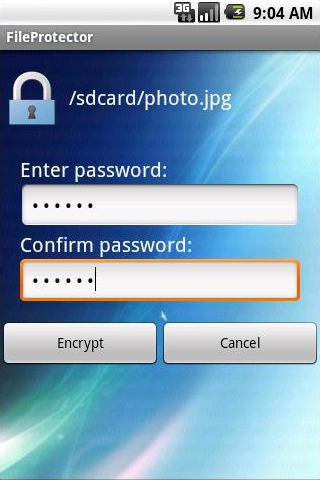
* Password protect files/folders on android.
It guards your previous personal folders and files of almost all kinds, such as an important document, your favorite photos, audios, videos or other files, and prevents other people viewing, alterting or deleting your documents without your permission.
* If your phone is lost or stolen, nobody will be able to access the contents you protected.
The password is always required to open locked files/folders. No matter if your files/folders are in Android phone or transfered to another phone, PC running in Windows Safe Mode, DOS, Linux or Unix, files/folders always retain their protection.
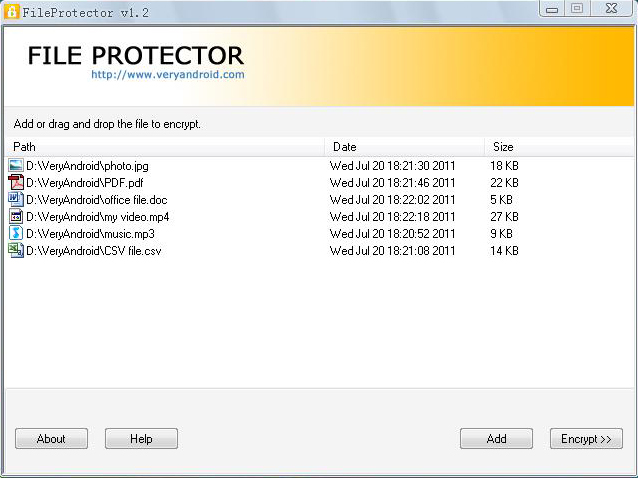
* Set password to protect files/folders on computer.Protect files folders on android and computer
You can also use File Protector on your computer to protect the files and folders on your computer. Simply choose what you want to protect and then set a password. Done. Whenever you want to view it, enter your own password to decrypt it.
* Easy to Setup, Easy to Use.
To lock and protect a file/folder, you don't even need to run FileProtector from the Start menu. Simply right-click a file/folder select FileProtector - Encrypt. To unprotect a locked file/folder with a double-click and enter the password.
* Protect almost all kinds of files/folder.
Free download to try: http://www.veryandroid.com/download/ver ... tector.zip
Info: http://www.veryandroid.com/file-protect ... older.html
